
Java vs JavaScript: Key Differences
If you're starting your programming journey, you have probably encountered two names that sound remarkably similar: Java and JavaScript.
Because both names contain the word "Java," beginners often assume that Java and JavaScript are related programming languages or that JavaScript is simply a lightweight version of Java.
They are not.
Java and JavaScript are two different programming languages with different designs, ecosystems, use cases, runtimes, and programming models.
Java is a general-purpose programming language widely used for backend systems, enterprise applications, Android development historically, desktop applications, and many large-scale software systems.
JavaScript, on the other hand, was originally created to make web pages interactive. Today, it has grown into a general-purpose language used for frontend development, backend development, desktop applications, mobile applications, automation, and much more.
Understanding the difference between Java and JavaScript is important if you're deciding which language to learn or trying to understand the technology behind a particular application.
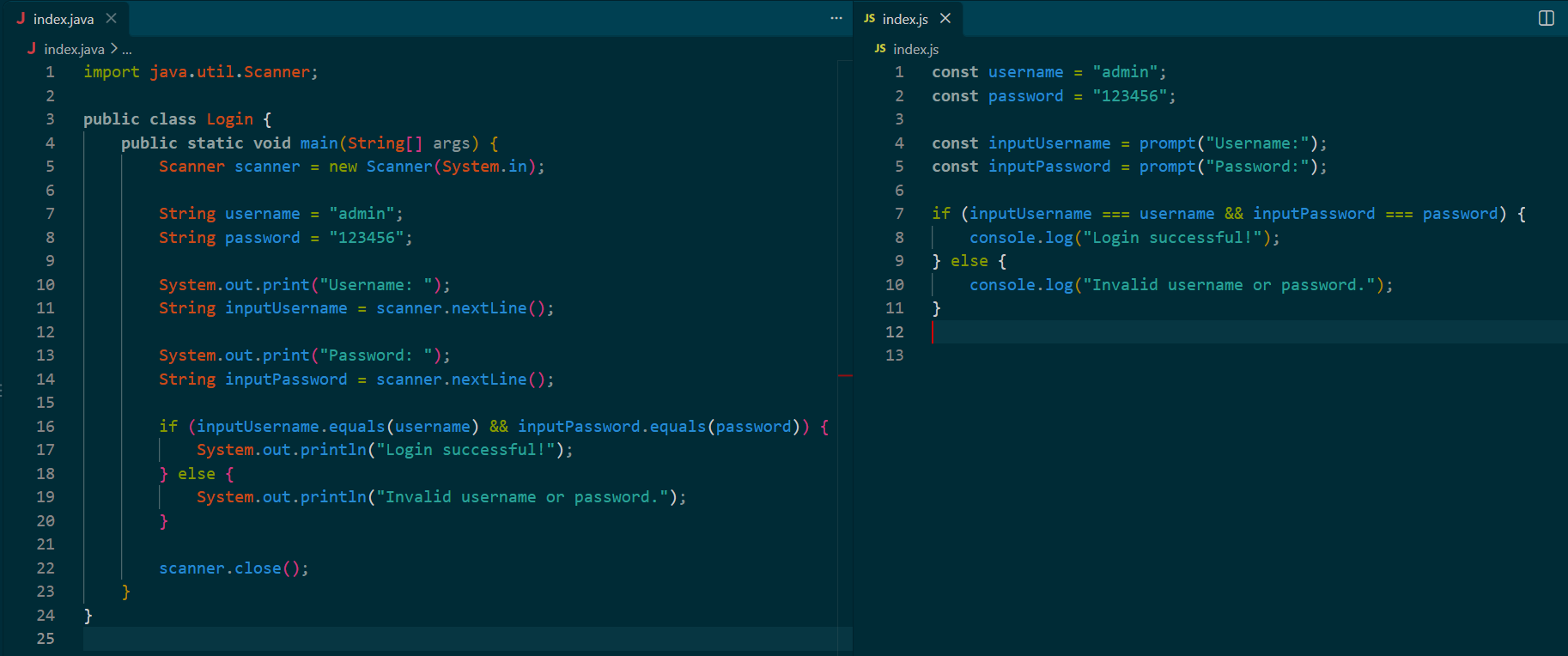
Are Java and JavaScript the Same?
No.
Java and JavaScript are separate programming languages.
Despite their similar names, they have different:
Syntax and language features
Runtimes
Ecosystems
Development tools
Typical applications
Type systems
Compilation and execution models
Libraries and frameworks
Development communities
For example, a simple Java program might look like this:
public class Main {
    public static void main(String[] args) {
        System.out.println("Hello, World!");
    }
}
A JavaScript version would look like:
console.log("Hello, World!");Both programs print a message, but the languages and environments are completely different.
Why Do Java and JavaScript Have Similar Names?
This is probably the most common question beginners ask.
JavaScript was originally developed in the 1990s for web browsers. Its early development was associated with Netscape, and the language was initially called LiveScript before being renamed JavaScript.
The name was influenced by the popularity of Java at the time.
However, the similarity in names does not mean that JavaScript is a version of Java.
Think of them as two separate technologies that happen to have similar names.
A useful beginner rule is:
Java is not JavaScript, and JavaScript is not Java.
Learning one can help you develop general programming skills, but the syntax, tools, ecosystem, and concepts are different enough that you should treat them as separate languages.
What Is Java?
Java is a general-purpose, class-based programming language designed with portability and large-scale software development in mind.
Java programs are commonly compiled into bytecode, which runs on the Java Virtual Machine (JVM).
A simplified Java development process looks like this:
Java Source Code
       ↓
Java Compiler
       ↓
Bytecode
       ↓
Java Virtual Machine
       ↓
Program Execution
For example:
public class Main {
    public static void main(String[] args) {
        System.out.println("Hello from Java!");
    }
}
You typically save the source code in a .java file, compile it, and run the resulting program using the Java runtime.
Java has been widely used in enterprise applications, backend systems, financial software, distributed systems, and many other areas.
What Is JavaScript?
JavaScript is a programming language that was initially designed for adding interactivity to web pages.
For example, JavaScript can respond to a button click:
<button id="button">Click Me</button>

<script>
    document
        .getElementById("button")
        .addEventListener("click", () => {
            alert("Hello!");
        });
</script>
Originally, JavaScript primarily ran inside web browsers.
Today, JavaScript can also run outside the browser using environments such as Node.js.
This means JavaScript can be used for:
Frontend development
Backend development
APIs
Real-time applications
Desktop applications
Mobile applications
Automation
Command-line tools
Server-side applications
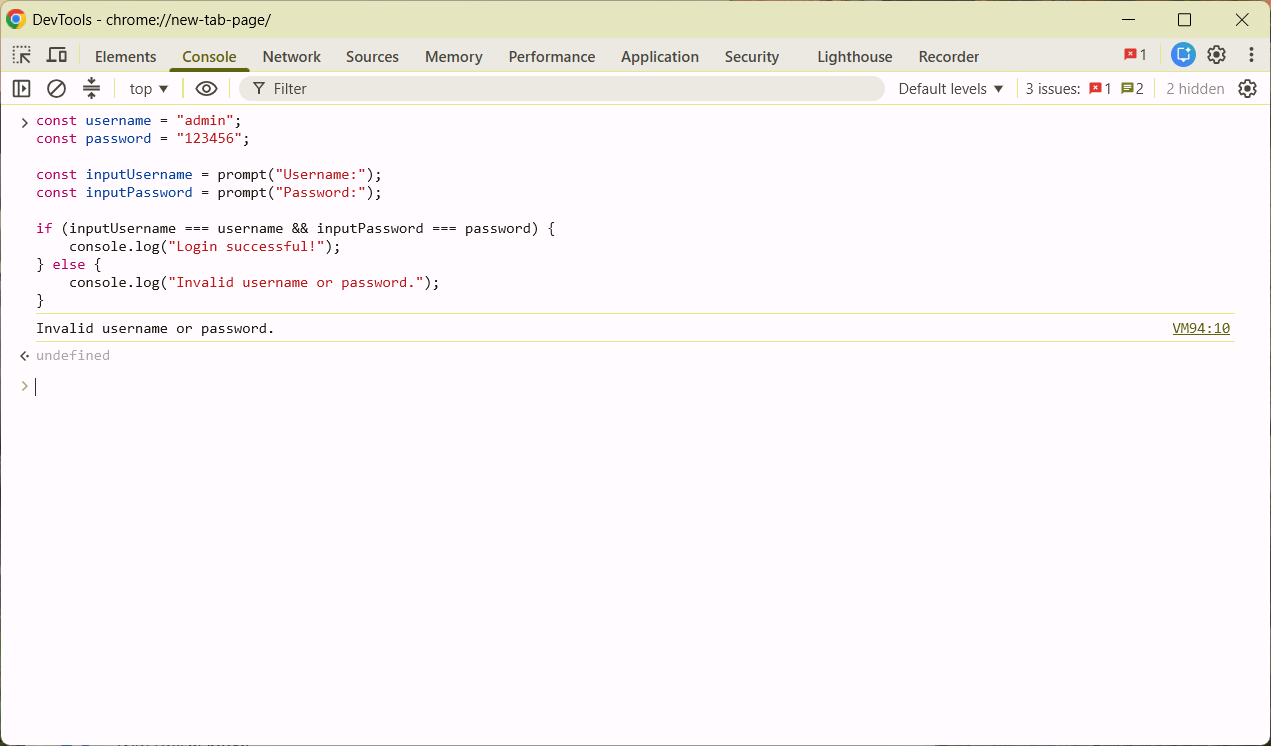
Java vs JavaScript: The Biggest Difference
The simplest way to understand the difference is to look at their primary ecosystems.
Java is strongly associated with the JVM ecosystem.
JavaScript is strongly associated with the web and JavaScript runtime ecosystem.
For example, a typical Java backend project might use:
Java
  ↓
Spring Boot
  ↓
REST API
  ↓
Database
A JavaScript web application might use:
JavaScript
  ↓
React
  ↓
Browser
Or a backend JavaScript application might use:
JavaScript
  ↓
Node.js
  ↓
Express
  ↓
REST API
  ↓
Database
Both languages can be used for backend development, but their ecosystems are different.
Java vs JavaScript Syntax
Java and JavaScript sometimes look similar because both use braces {} and semicolons are common in both languages.
However, their syntax and language features are different.
Java example:
public class User {
    private String name;

    public User(String name) {
        this.name = name;
    }

    public String getName() {
        return name;
    }
}
JavaScript example:
class User {
    constructor(name) {
        this.name = name;
    }

    getName() {
        return this.name;
    }
}
At first glance, they look somewhat similar.
But there are important differences in how classes, types, objects, inheritance, functions, and other language features work.
Java Is Statically Typed
Java is a statically typed language.
When declaring a variable, you normally specify its type:
int age = 25;
String name = "Ahmed";
double price = 99.99;
boolean active = true;
The compiler checks types as part of the compilation process.
For example:
int age = "25";This is invalid because "25" is a string rather than an integer.
Java's type system is an important part of its programming model.
JavaScript Uses Dynamic Typing
JavaScript is dynamically typed.
You don't normally specify the type when declaring a variable:
let age = 25;
let name = "Ahmed";
let price = 99.99;
let active = true;
A variable can also later refer to a value of another type:
let value = 100;

value = "Hello";

console.log(value);
This flexibility can make JavaScript convenient for rapid development, but it also means developers need to pay attention to types and runtime behavior.
For larger JavaScript projects, developers sometimes use TypeScript, which adds static type checking to the JavaScript ecosystem.
Java vs JavaScript Variables
Java:
int number = 10;
String message = "Hello";
JavaScript:
let number = 10;
let message = "Hello";
Java requires explicit type declarations in ordinary variable declarations.
JavaScript allows the runtime to determine the type from the assigned value.
Java vs JavaScript Functions
In Java, methods are normally defined inside classes.
public class Calculator {

    public int add(int a, int b) {
        return a + b;
    }
}
JavaScript treats functions as first-class values.
You can write:
function add(a, b) {
    return a + b;
}
You can also assign a function to a variable:
const add = (a, b) => {
    return a + b;
};
And pass functions to other functions:
function execute(operation) {
    return operation(10, 20);
}

const result = execute((a, b) => a + b);

console.log(result);
This functional programming style is a major part of modern JavaScript.
Java Uses Classes Heavily
Java is fundamentally built around classes and objects.
For example:
public class Car {

    private String brand;

    public Car(String brand) {
        this.brand = brand;
    }

    public void drive() {
        System.out.println("The car is driving.");
    }
}
You can create an object:
Car car = new Car("Toyota");

car.drive();
Object-oriented programming is central to traditional Java development.
JavaScript Also Supports Classes
Modern JavaScript provides the class syntax:
class Car {
    constructor(brand) {
        this.brand = brand;
    }

    drive() {
        console.log("The car is driving.");
    }
}

const car = new Car("Toyota");

car.drive();
However, JavaScript's object model is based on prototypes.
The class syntax provides a more familiar class-based syntax for working with JavaScript objects, while the underlying language model remains prototype-based.
Java and JavaScript Object Models Are Different
This is an important technical distinction.
Java primarily uses a class-based object-oriented model.
JavaScript uses a prototype-based object model.
For example, JavaScript objects can inherit through prototypes:
const animal = {
    eat() {
        console.log("Eating...");
    }
};

const dog = Object.create(animal);

dog.bark = function () {
    console.log("Barking...");
};

dog.eat();
dog.bark();
Modern JavaScript developers often use classes, objects, modules, and composition, but understanding prototypes helps explain how the language works internally.
Where Does Java Run?
Java applications commonly run on the Java Virtual Machine (JVM).
The JVM provides a runtime environment for Java bytecode.
The simplified architecture is:
Java Source Code
       ↓
Java Compiler
       ↓
Java Bytecode
       ↓
JVM
       ↓
Operating System
       ↓
Hardware
This architecture has contributed to Java's portability across operating systems.
Where Does JavaScript Run?
JavaScript can run in several environments.
The most famous is the web browser.
Modern browsers contain JavaScript engines capable of executing JavaScript code.
Different browsers use different JavaScript engines.
For example:
Chrome uses V8
Microsoft Edge uses V8
Firefox uses SpiderMonkey
Safari uses JavaScriptCore
JavaScript can also run outside browsers.
For example, Node.js uses the V8 JavaScript engine to execute JavaScript on servers and local machines.
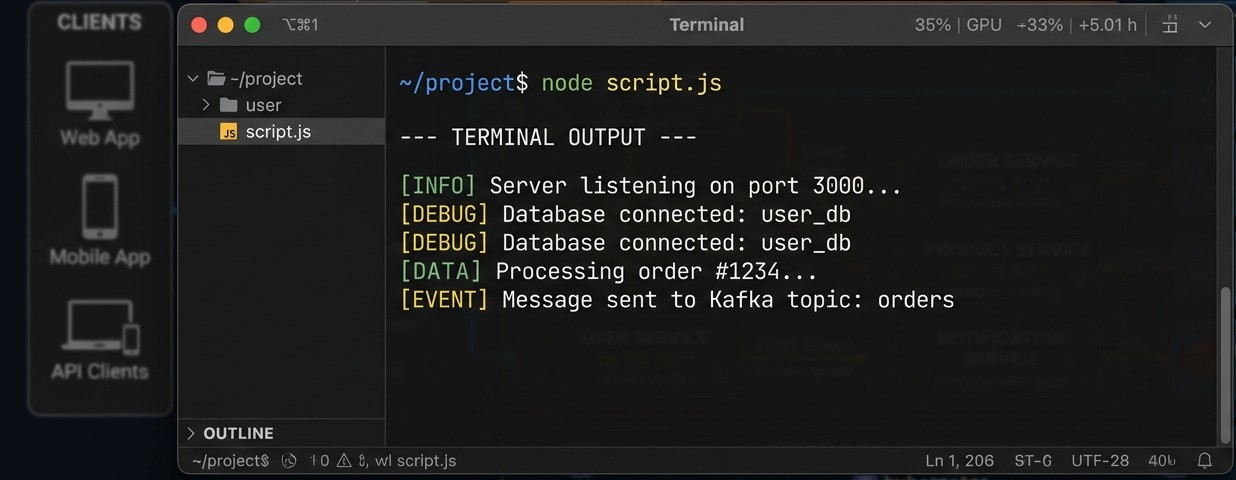
Java vs JavaScript for Web Development
This is where the distinction becomes particularly important.
JavaScript is a fundamental technology for web browsers.
For example:
document.querySelector("#button");JavaScript can interact directly with the DOM in a browser.
Java does not normally execute directly inside modern web browsers.
Java has historically been used in web applications as a server-side technology, often through frameworks and application servers.
A common architecture could look like:
Browser
   ↓
HTTP Request
   ↓
Java Backend
   ↓
Database
A JavaScript full-stack application could look like:
Browser
   ↓
React / JavaScript
   ↓
Node.js API
   ↓
Database
Both approaches can be used to build web applications, but they use different technologies and ecosystems.
Java Frameworks
Java has a large ecosystem of frameworks and libraries.
One of the most widely used backend frameworks is Spring, particularly Spring Boot.
A basic Spring Boot application might expose an API endpoint:
@RestController
public class UserController {

    @GetMapping("/users")
    public String users() {
        return "Users";
    }
}
Java developers may also work with technologies such as:
Spring Boot
Spring MVC
Spring Security
Hibernate
Jakarta EE
Maven
Gradle
The exact technology stack depends on the project.
JavaScript Frameworks and Libraries
JavaScript has an enormous ecosystem.
For frontend development, developers commonly use technologies such as:
React
Vue
Angular
Svelte
Next.js
For backend development:
Node.js
Express
Fastify
NestJS
For example, a simple Express server might look like:
const express = require("express");

const app = express();

app.get("/users", (req, res) => {
    res.json([
        {
            id: 1,
            name: "Ahmed"
        }
    ]);
});

app.listen(3000, () => {
    console.log("Server running on port 3000");
});
This demonstrates how JavaScript can be used for backend API development.
Java vs JavaScript Performance
It is difficult to say that one language is simply "faster" than the other in every situation.
Performance depends on:
The specific application
Runtime implementation
Algorithms
Frameworks
Database operations
Network communication
Memory usage
Application architecture
Hardware
Workload
Modern JavaScript engines use sophisticated optimization techniques, including just-in-time compilation.
Java applications running on the JVM also benefit from extensive runtime optimization and JIT compilation.
For most developers, choosing between Java and JavaScript should not be based on a simplistic assumption that one is always faster.
The requirements of the application are more important.
Java vs JavaScript for Backend Development
Both Java and JavaScript can be used to build backend applications.
A Java backend might use:
Java
Spring Boot
Hibernate
PostgreSQL
A JavaScript backend might use:
JavaScript
Node.js
Express
PostgreSQL
Both can build:
REST APIs
Authentication systems
Business applications
Database applications
Microservices
Web applications
The programming model and ecosystem are different, but the types of applications can overlap significantly.
Java vs JavaScript for Mobile Development
Java has a long history in Android development.
Java was one of the primary programming languages used for Android applications for many years.
Today, Android development also commonly involves Kotlin.
JavaScript can also be used for mobile development through technologies such as:
React Native
Ionic
NativeScript
For example, React Native allows developers to use JavaScript and React concepts to build mobile applications.
The choice depends on the project's requirements, existing codebase, team expertise, and target platform.
Java vs JavaScript for Desktop Applications
Java can be used to create desktop applications with technologies such as JavaFX.
JavaScript can also be used for desktop applications.
One popular approach is Electron.
Electron allows developers to create desktop applications using web technologies such as:
HTML
CSS
JavaScript
Applications built with Electron can run on multiple desktop operating systems.
For example:
HTML
CSS
JavaScript
   ↓
Electron
   ↓
Desktop Application
This approach is used by many well-known desktop applications.
Java vs JavaScript and Databases
Both Java and JavaScript applications can communicate with databases.
A Java application might use JDBC, JPA, Hibernate, or Spring Data.
For example:
Connection connection =
    DriverManager.getConnection(
        databaseUrl,
        username,
        password
    );
A Node.js application can use database drivers or libraries such as Prisma, Sequelize, or other database-specific packages.
For example:
const users = await prisma.user.findMany();

console.log(users);
Both ecosystems provide extensive database support.
Java vs JavaScript Package Managers
JavaScript has a very large package ecosystem based around npm.
For example:
npm install expressThe package is then added to your project dependencies.
Java uses tools such as Maven and Gradle.
For example, Maven dependencies are commonly declared in:
<dependency>
    <groupId>org.springframework.boot</groupId>
    <artifactId>spring-boot-starter-web</artifactId>
</dependency>
The tooling is different, but both ecosystems have mature dependency management systems.
Java vs JavaScript File Extensions
Java source files normally use:
.javaFor example:
Main.java
User.java
Product.java
JavaScript files normally use:
.jsFor example:
app.js
server.js
main.js
Modern JavaScript projects may also use:
.mjs
.cjs
depending on the module system and project configuration.
Java vs JavaScript Error Handling
Java commonly uses exceptions with try, catch, and finally.
Example:
try {
    int result = 10 / 0;
} catch (ArithmeticException e) {
    System.out.println("An error occurred.");
}
JavaScript also provides try, catch, and finally:
try {
    const result = 10 / 0;
    console.log(result);
} catch (error) {
    console.log("An error occurred.");
}
Although the syntax looks similar, the languages have different type systems, runtimes, and error-handling details.
JavaScript Is Not a Short Version of Java
This misconception is worth repeating because it causes confusion for beginners.
JavaScript is not:
A simplified version of Java
A scripting version of Java
A Java framework
A Java extension
A Java compiler
A Java runtime
They are independent programming languages.
Their names are similar, but their histories and technical designs are different.
Java vs JavaScript: Side-by-Side Comparison
Feature | Java | JavaScript |
|---|---|---|
Type system | Statically typed | Dynamically typed |
Primary ecosystem | JVM | Web and JavaScript runtimes |
Typical file |
|
|
Main runtime | JVM | Browser engines, Node.js, and others |
Object model | Class-based | Prototype-based |
Web frontend | Not normally used directly | Core web technology |
Backend | Widely used | Widely used |
Mobile | Android history and other platforms | React Native and other frameworks |
Desktop | JavaFX and other technologies | Electron and other frameworks |
Common backend framework | Spring Boot | Express, NestJS, Fastify |
Package tooling | Maven, Gradle | npm, pnpm, Yarn |
Database support | Extensive | Extensive |
Async programming | Threads, futures, reactive tools, etc. | Promises, async/await, event loop |
Main use cases | Enterprise, backend, distributed systems, applications | Web, frontend, backend, full-stack, desktop, mobile |
Java vs JavaScript: Asynchronous Programming
One major difference you'll encounter is how asynchronous programming is commonly approached.
Java can use threads, executors, futures, and other concurrency mechanisms.
For example:
ExecutorService executor = Executors.newFixedThreadPool(2);

executor.submit(() -> {
    System.out.println("Running task...");
});

executor.shutdown();
JavaScript commonly uses an event-loop-based model for asynchronous operations.
For example:
async function getUsers() {
    const response = await fetch("/api/users");
    const users = await response.json();

    console.log(users);
}

getUsers();
JavaScript's async and await syntax makes asynchronous code easier to read, while the underlying runtime behavior is different from Java's traditional thread-based concurrency model.
Java vs JavaScript for Beginners
If you're completely new to programming, both languages can teach you important programming concepts.
Java can introduce you to concepts such as:
Classes
Objects
Interfaces
Static typing
Generics
Exceptions
Multithreading
Object-oriented design
JavaScript can introduce you to:
Variables
Functions
Objects
Arrays
DOM manipulation
Events
Asynchronous programming
Promises
APIs
Functional programming concepts
The better starting point depends heavily on what you want to build.
If your primary interest is browser-based web development, JavaScript is directly relevant because browsers execute JavaScript.
If your interest is Java-based backend or enterprise development, learning Java gives you a direct path into that ecosystem.
Can a Java Developer Learn JavaScript?
Absolutely.
The programming concepts you learn in Java can make it easier to understand many JavaScript concepts.
For example, if you already understand:
Variables
Functions
Classes
Objects
Loops
Conditions
Data structures
Algorithms
you already have a foundation that transfers between programming languages.
However, Java developers should be prepared for JavaScript's different type system, prototype-based object model, asynchronous programming model, and flexible syntax.
Can a JavaScript Developer Learn Java?
Yes.
JavaScript developers who already understand programming fundamentals can learn Java as well.
However, Java will introduce additional concepts such as:
Explicit type declarations
Interfaces
Generics
Strong compile-time type checking
JVM concepts
Java-specific build systems
Java-specific libraries and frameworks
The syntax may look familiar in some places, but the development experience is different.
Which Language Should You Learn?
The answer depends on what you want to build.
If your goal is frontend web development, JavaScript is directly relevant because it runs in web browsers.
If your goal is Java backend development, Java is the obvious language for that ecosystem.
If you want to build full-stack JavaScript applications, you can use JavaScript across the frontend and backend.
For example:
React
   ↓
JavaScript
   ↓
Node.js
   ↓
Express
   ↓
PostgreSQL
Another developer might build a system like:
React
   ↓
REST API
   ↓
Spring Boot
   ↓
PostgreSQL
Neither architecture is automatically appropriate for every project. The right choice depends on the requirements, existing systems, team skills, and project constraints.
Can You Use Java and JavaScript Together?
Yes.
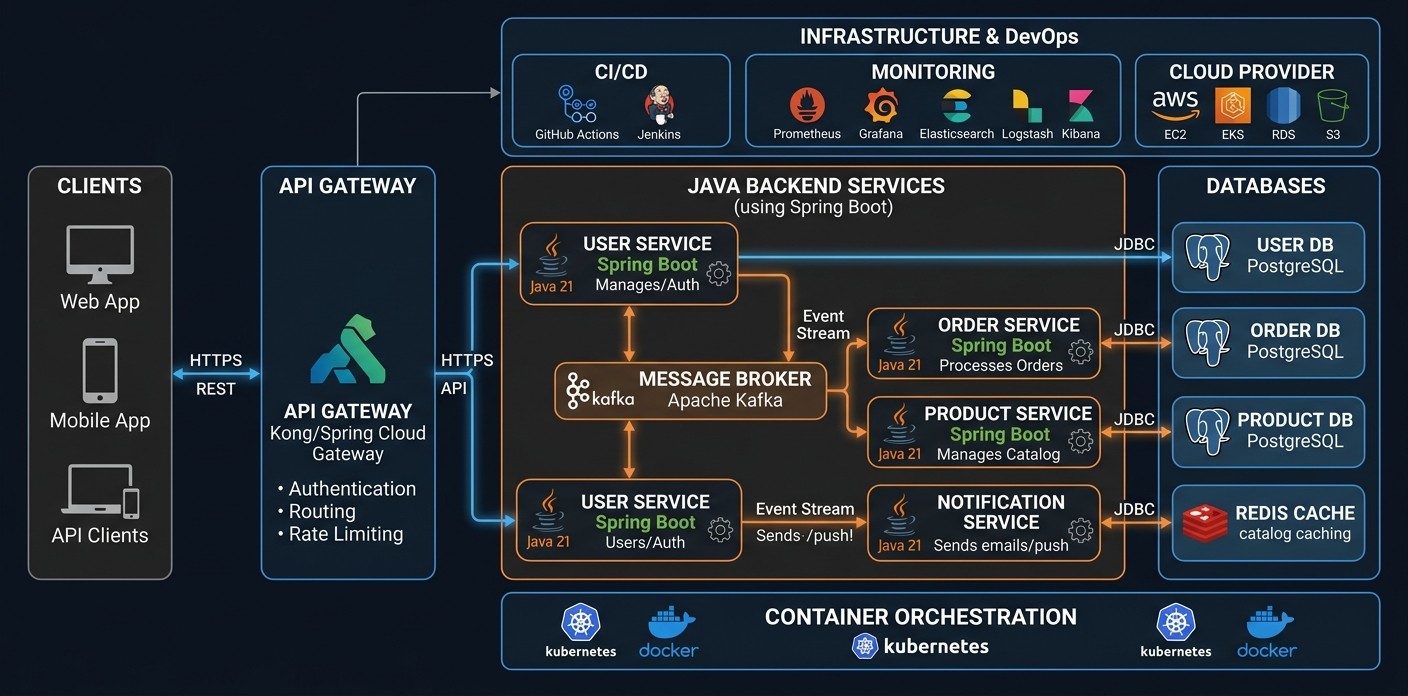
A common architecture is to use Java for the backend and JavaScript for the frontend.
For example:
        Browser
           ↓
       JavaScript
           ↓
       HTTP / REST
           ↓
      Java Backend
           ↓
        Database
The frontend could use React, Vue, Angular, or plain JavaScript.
The backend could use Spring Boot.
The two technologies communicate through APIs.
For example, Java might expose:
GET /api/usersand the JavaScript frontend could request:
const response = await fetch("/api/users");

const users = await response.json();

console.log(users);
This architecture is common in modern web development.
Common Misconceptions About Java and JavaScript
"JavaScript is Java for websites"
False.
JavaScript is its own programming language and is a major technology for web development.
"Java and JavaScript use the same runtime"
False.
Java commonly runs on the JVM.
JavaScript can run in browser JavaScript engines and environments such as Node.js.
"Learning Java automatically means you know JavaScript"
Not exactly.
The programming knowledge transfers, but the languages are different.
"JavaScript is only for frontend development"
False.
JavaScript can also be used for backend, desktop, mobile, automation, command-line tools, and other applications.
"Java is only for backend development"
Not exactly.
Java has been used for many types of applications, including desktop software, Android applications historically, enterprise software, distributed systems, and backend systems.
A Simple Way to Remember the Difference
If you only remember one thing from this article, remember this:
Java and JavaScript are different programming languages.
A simplified comparison is:
Java
  ↓
JVM
  ↓
Enterprise / Backend / Applications

JavaScript
  ↓
Browser / Node.js / Other Runtimes
  ↓
Web / Frontend / Backend / Full Stack / Desktop / Mobile
Their names are similar, but their ecosystems are separate.
Final Thoughts
Java and JavaScript are both important programming languages, but they solve problems in different ecosystems.
Java is strongly associated with the JVM and is widely used for backend systems, enterprise software, distributed applications, and other large-scale software.
JavaScript began as a browser scripting language and has evolved into a general-purpose language used across frontend development, backend development, full-stack applications, desktop applications, mobile development, and more.
The biggest mistake is to assume that JavaScript is simply a version of Java.
It isn't.
If you're interested in web frontend development, JavaScript is an essential language to learn.
If you're interested in Java backend or enterprise development, Java provides the foundation for that ecosystem.
And if you're interested in full-stack development, you may eventually encounter both languages in the same project.
The important thing is not to focus only on the names. Look at the runtime, ecosystem, tools, frameworks, and type system behind each language.
Once you understand those differences, Java and JavaScript become much less confusing.
And if you're currently learning JavaScript, don't let the name "Java" distract you. Focus on the language you're actually working with, practice by building small projects, and gradually move toward real-world applications.